Best Budget Mechanical Keyboards Philippines Under ₱3,000 (2026)
✅ Pros
- Hot-swap on multiple picks so you can change switches without soldering
- Wireless options available under ₱2,500
- RGB on every pick on this list
- All available on Shopee with local seller warranties
❌ Cons
- Stabilizer rattle on budget picks — needs modding to fix
- No gasket mount at this price point
- Keycaps are ABS plastic, which shines faster than PBT
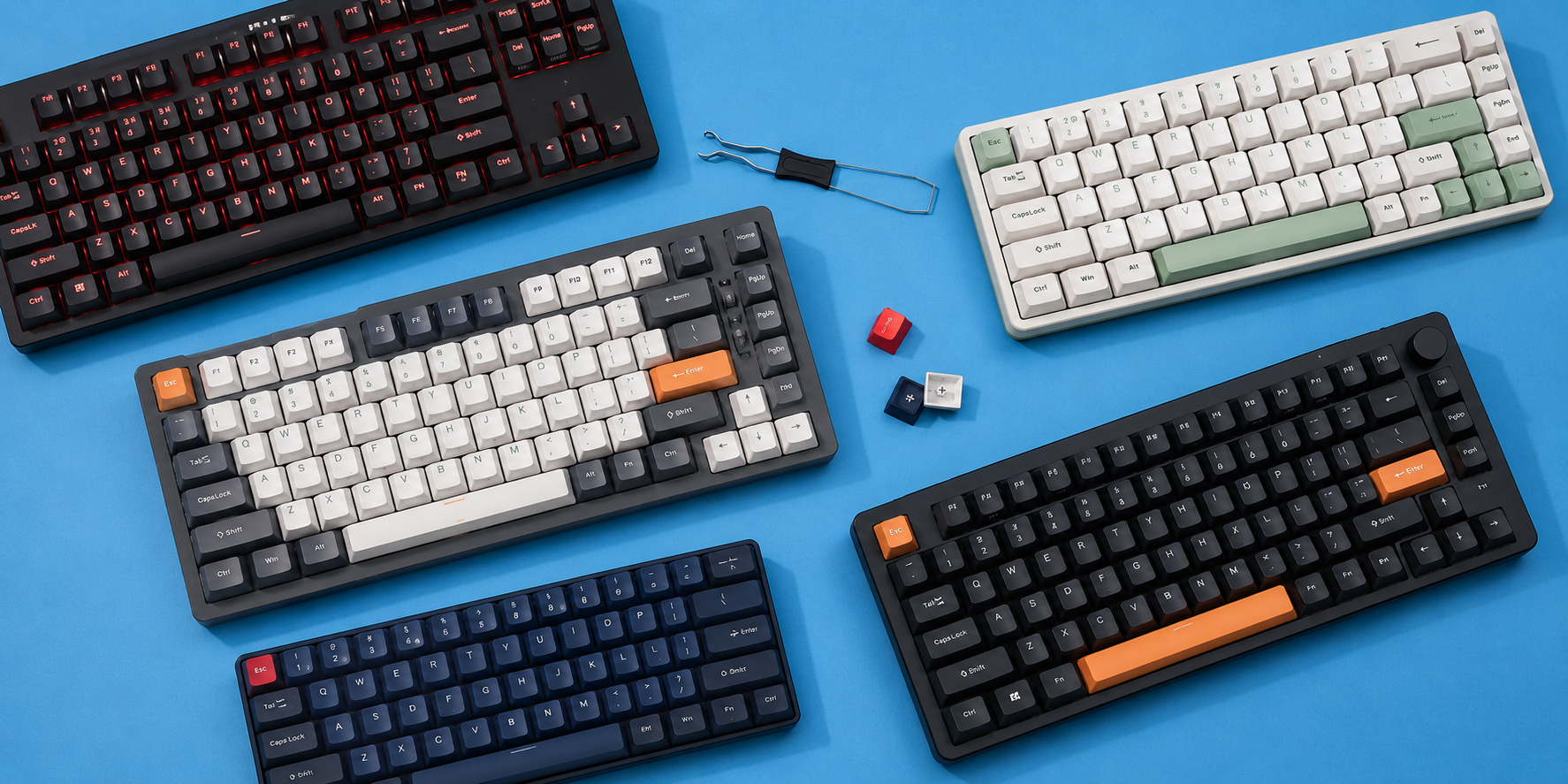
Mechanical keyboards used to be a ₱5,000+ purchase. Now you can get a solid one for under ₱1,500 — and a great one for under ₱3,000. Whether you’re a gamer who wants that tactile click, a remote worker who types all day, or someone tired of mushy membrane keyboards, the options available on Shopee Philippines right now are worth paying attention to.
This guide is for beginners. No assumed knowledge. We’ll cover what the terms mean, which keyboard fits which use case, and exactly where to buy.
What to Look For Before You Buy
Switch Types
The switch is the mechanism under each keycap. It determines how a keystroke feels and sounds.
Linear switches (like Red or Yellow) go straight down with no bump or click. Smooth and quiet. Good for gaming and late-night typing.
Tactile switches (like Brown) have a small bump when you hit the actuation point. You feel it but don’t hear a loud click. Popular for typing work.
Clicky switches (like Blue) have that click sound and a tactile bump. Great for typing feedback. Annoying for housemates.
If you’re not sure which to get, start with Red (linear) or Brown (tactile). Most people stick with one of those two.
Form Factors
| Layout | Keys | What’s missing |
|---|---|---|
| Full size (100%) | 104 | Nothing |
| TKL (Tenkeyless) | 87 | Number pad |
| 75% | 84 | Number pad + some keys |
| 65% | 68 | Number pad + function row |
| 60% | 61 | Number pad + function row + arrow keys |
For most Filipino setups — smaller desks or dual-monitor builds — TKL and 75% hit the sweet spot. 60% keyboards are for people who have committed to the hobby and don’t need dedicated arrow keys.
Hot-Swap
Hot-swap means you can pull out the switches and replace them without soldering. On a non-hot-swap board, changing switches means buying a new keyboard or owning a soldering iron. Hot-swap boards give you flexibility. At this price range, not every pick has it — but more do than you’d expect.
1. Redragon K552 Kumara — Best Overall
Price: ₱999–1,500 Layout: TKL (87 keys) Switches: Outemu Red or Blue Wireless: No
The K552 is the most popular budget mechanical keyboard on Shopee Philippines. TKL layout removes the number pad so your mouse hand doesn’t have to reach as far. RGB lighting works through Redragon’s software. Build quality is solid for under ₱1,300.
Outemu switches are not Cherry MX, but at this price they’re acceptable. The Reds are smooth for gaming. The Blues are loud enough that you’ll hear yourself type from the next room.
No hot-swap — that’s the main limitation. If you decide later that you want different switches, you’ll need a soldering iron or a new board. For most beginners, that’s not a concern in year one.
Good to Know The K552 comes in a compact RGB version and a non-RGB version. Always check the listing for the exact variant. The RGB model is worth the small price difference.
Best for: First mechanical keyboard, gaming, budget builds under ₱1,500.
2. Redragon K617 Fizz — Best for Minimal Desk Setups
Price: ₱899–1,300 Layout: 60% (61 keys) Switches: Hot-swappable Wireless: No
The K617 is one of the cheapest hot-swap mechanical keyboards in the Philippines. That alone makes it worth mentioning.
60% means no number pad, no function row, and no dedicated arrow keys. Arrow keys are accessed through a function layer (Fn + WASD). If you use arrow keys constantly for work, this takes adjustment. If you’re primarily gaming or willing to adapt, the desk space savings are real.
At ₱899, getting hot-swap is a surprise. You can swap in Gateron, Akko, or any 3-pin MX-compatible switch. The stock Outemu switches are fine, but the ability to change them is the selling point.
The case is plastic and lightweight. Stabilizers rattle out of the box. Foam modding or band-aid modding helps, but those are intermediate-level tweaks.
Best for: Small desk setups, people who want to experiment with switches without spending a lot.
3. Royal Kludge RK84 — Best Wireless Option
Price: ₱1,799–2,400 Layout: 75% (84 keys) Switches: Hot-swappable Wireless: Bluetooth 5.0 + 2.4GHz + USB-C
The RK84 is for people who want wireless without spending ₱4,000+. Triple-mode connectivity (Bluetooth, 2.4GHz dongle, and wired USB-C) means it works with your desktop, laptop, and tablet.
75% layout is practical. You keep arrow keys and a column of navigation keys on the right side, but the overall footprint stays compact. Royal Kludge’s build quality has improved over the past two years — the case is sturdy, RGB is bright, and the hot-swap PCB accepts most 3-pin and 5-pin switches.
Battery lasts around 3–4 days with RGB on, or several weeks with it off. Charging is via USB-C.
The tradeoff: wireless keyboards at this price can have slight input lag on Bluetooth. It’s not noticeable for typing. Competitive gamers who care about every millisecond should stick to wired.
Worth Noting The RK84 comes in Red, Brown, Blue, and sometimes Silent Red switch variants. Check which is in stock before buying. Red or Brown are the safer starting choices.
Best for: Clean desk setups, people who want wireless connectivity at a non-premium price.
4. Fantech MAXFIT87 — Best Hot-Swap at Mid-Range
Price: ₱1,499–1,799 Layout: TKL (87 keys) Switches: Hot-swappable (Gateron available) Wireless: Bluetooth + USB-C
The MAXFIT87 sits between the budget Redragon picks and the RK84. It’s a TKL with hot-swap and Bluetooth — a combination you won’t find much cheaper.
Gateron switches (available on some variants) are a step up over Outemu. Gateron Reds and Browns are smoother and more consistent. If you’re spending ₱1,500+, look for the Gateron version specifically.
Fantech is a Filipino brand based in Cebu. Local warranty claims and after-sales support are more accessible compared to grey-market imports — that matters when something goes wrong six months in.
Build quality is mid-tier. The case has some flex. Stabilizers are serviceable. Hot-swap makes it forgiving if you decide to change something later.
Best for: TKL fans who want hot-swap and occasional Bluetooth, and want local brand support.
5. Akko 3068B — Best Typing Feel
Price: ₱1,755–2,799 Layout: 65% (68 keys) Switches: Pre-lubed Akko switches Wireless: Bluetooth 5.0 + USB-C
The 3068B is the most refined pick on this list. Akko ships it with pre-lubed switches — something you’d normally do yourself on a budget board. Pre-lubing removes the scratchy feeling and adds smoothness from the first keystroke.
The south-facing PCB means RGB shines upward through the keycaps more evenly. It’s a small detail, but side-by-side the difference is visible compared to boards where light bleeds from the sides.
65% layout keeps arrow keys intact, putting it in a comfortable middle ground between 60% and 75%. The Akko keycaps are double-shot ABS — they’ll shine over time, but the legends won’t fade.
At ₱2,799, this is a proper entry-level enthusiast board. If you care about how typing feels, the 3068B is worth the jump.
Watch Out Some Akko 3068B units on Shopee are grey imports without local warranty. Look for official Akko Philippines sellers or verify the seller’s return policy before purchasing.
Best for: Typing-focused users who want pre-lubed switches, better RGB, and a polished feel without spending ₱4,000+.
Quick Comparison
| Keyboard | Price | Layout | Hot-Swap | Wireless | Best For |
|---|---|---|---|---|---|
| Redragon K552 Kumara | ₱999–1,299 | TKL | No | No | Best overall budget |
| Redragon K617 Fizz | ₱899–1,099 | 60% | Yes | No | Minimal desk setups |
| Royal Kludge RK84 | ₱1,799–2,400 | 75% | Yes | Yes (BT + 2.4G) | Best wireless |
| Fantech MAXFIT87 | ₱1,499–1,799 | TKL | Yes | Yes (BT) | Local brand + hot-swap |
| Akko 3068B | ₱1,755–2,799 | 65% | Yes | Yes (BT) | Best typing feel |
Want to Try Before You Buy? Head to Gilmore IT Center in Quezon City. Several keyboard hobby shops on the upper floors carry switch testers and demo boards. Knowing you prefer Browns over Reds before spending ₱2,000 is worth the trip. Weekday afternoons are quieter; weekends have more stock.
Prices based on Shopee Philippines listings as of May 2026. Flash sales and vouchers move prices regularly — check current listings before purchasing.